

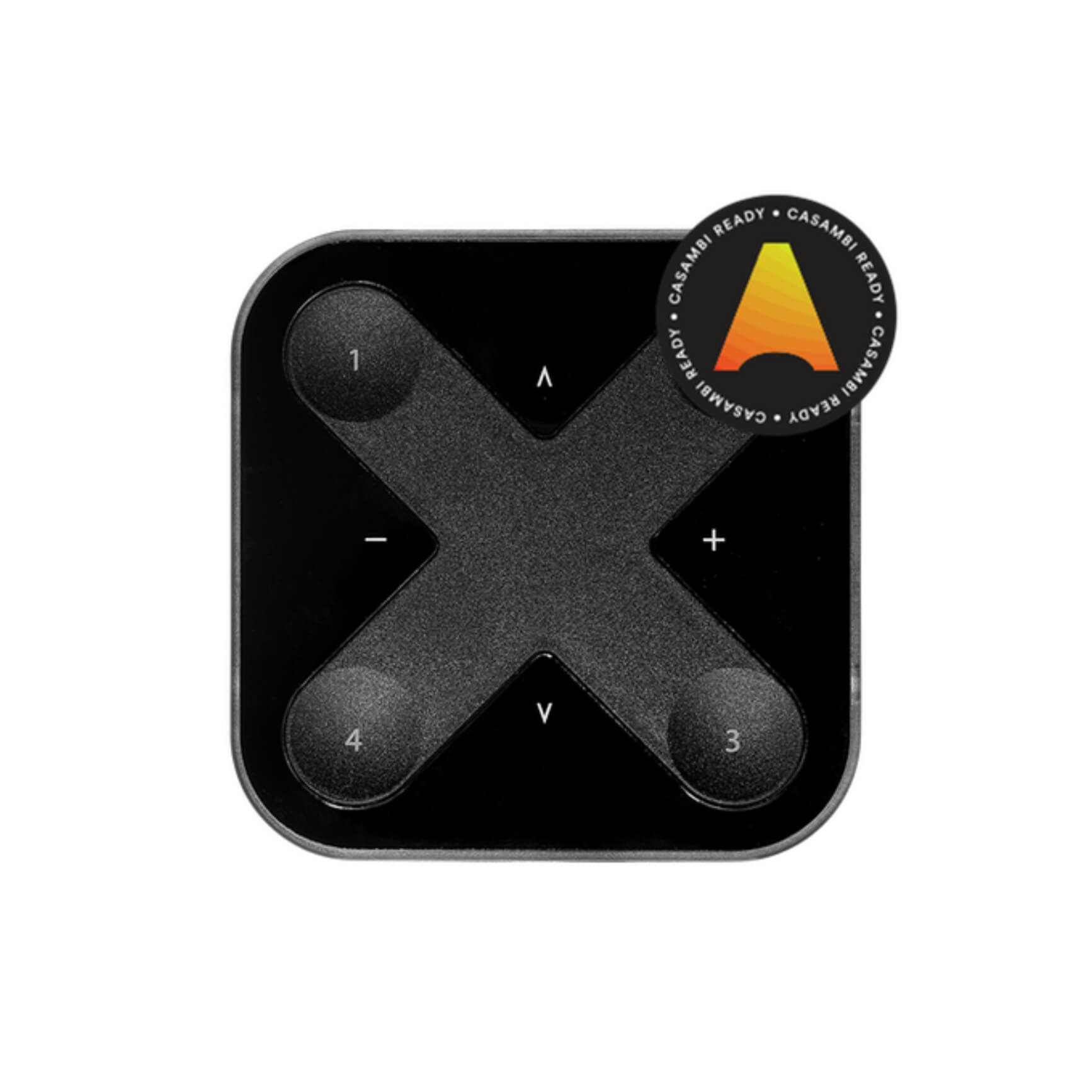
Casambi Xpress wireless switch with 4 presets, CR2430 battery lasting 2-5 years, magnetic mount, 15-20m BLE range. No wiring, no in-wall box required. Ideal for hospitality, flexible office layouts, and showrooms.
Most Casambi projects run without a central controller, and the smartphone handles full configuration and control. But pulling out a phone every time someone needs to adjust a scene is not practical in daily use. Casambi Xpress fills that gap: a compact 90 x 90mm panel, battery-powered, magnetically mounted anywhere in the room, giving physical control over the Casambi network without running a single cable or drilling a wall.
When a space gets reconfigured, partitions shift, or a hotel room is renovated, a hardwired wall switch becomes a liability. Moving it means breaking walls and rewiring. Xpress removes that constraint entirely.
Xpress is a wireless user interface developed by Casambi Technologies. It has 8 buttons arranged in an X-pattern on a 90 x 90mm panel. There are no electrical connectors and no external power required. It communicates entirely via Bluetooth Low Energy and joins a Casambi network as a standard node.
Button layout: 4 Preset buttons at the corners (1, 2, 3, 4), 2 Dim buttons on the left and right center (+/-), and 2 Multipurpose buttons on the top and bottom center (up and down). A small LED on the device indicates the active preset. Xpress runs on a CR2430 Lithium coin cell with a 2-5 year lifespan depending on usage.
Each Preset button is configured via the Casambi App: assign it to control a single luminaire, a group, the entire network (up to 250 nodes), recall a scene, or trigger an animation. One tap activates, a second tap deactivates.
Dim buttons (+/-): Tap up to jump to 100%, tap down to go to 0% (off). Hold either button for smooth dimming over a 5-second cycle. Hold both buttons simultaneously for more than 1 second to turn off the entire network.
Multipurpose buttons (up/down): Function 1: CCT control. Tap up for warmest, tap down for coolest, hold for a smooth sweep. Function 2: indirect/direct ratio for luminaires with two lighting zones (hold up increases indirect, hold down increases direct, total always equals 100%). The active function is set in the Casambi App.
Installation is two steps: screw the bracket to the surface, then place Xpress onto it. The integrated magnet holds it firmly. No in-wall box, no electrical cable, no electrician needed. The bracket screws into walls, partitions, desks, or columns. For non-screw surfaces like glass, use double-sided adhesive on the bracket.
After physical installation, add Xpress to the Casambi network via the app under More > Nearby devices. Assign each Preset button to the required scene or group. When the device needs to move, lift Xpress off the bracket (the magnet releases cleanly), screw a new bracket at the new position, and snap Xpress back on. Software configuration stays intact with no reconfiguration needed.
Xpress addresses the switch problem in spaces with frequently changing layouts or where fixed switches are not desirable. Typical scenarios:
Hospitality: Place Xpress on the nightstand or desk in a hotel room. During renovation, housekeeping removes the unit, the facilities team screws a new bracket at the new position, no electrician involved. Guests control 4 scenes (Welcome, Relax, Cinema, Off) with a single tap, no app required.
Flexible office: Open-plan spaces that reconfigure by project. Brackets mount on movable partitions. When the layout changes, the facilities team repositions partitions without electrical work, saving 1-2 days of wiring per reconfiguration.
Conference rooms and auditoriums: The presenter holds Xpress and controls lighting wirelessly from the podium, independent of where the wall switch happens to be.
Showrooms and retail: A portable switch sits on the sales desk. Staff adjust scenes to match whatever product is being presented, without walking to the wall.
Xpress is rated IP20 for indoor use only. Do not install outdoors or in wet areas. Direct BLE range is 15-20m indoors, reduced in environments with heavy obstructions or RF interference. Within a Casambi mesh, signals relay through intermediate nodes so overall system coverage extends beyond the Xpress direct range. The battery will need replacing after 2-5 years; use a standard CR2430 available at any electronics retailer, no technician required.
Casambi Xpress is the right choice when a project has already committed to Casambi BLE Mesh and needs physical switches that are not fixed to the wall structure. Scene, dimming, and CCT control in one device, no central controller, no complex programming. Learn more about the Casambi ecosystem at What is Casambi and What is BLE Mesh.
For project enquiries, contact us via hotline 0918.918.755 or email sales@knxstore.vn.
| Protocol | Bluetooth Low Energy (Casambi) |
| Power Supply | CR2430 Lithium coin cell |
| Battery Life | 2-5 years |
| BLE Range | 15-20m (indoor) |
| Dimensions | 90 x 90mm |
| Number of Buttons | 8 (4 Preset + 2 Dim + 2 Multipurpose) |
| Dim Function | Tap up 100%, tap down 0%, hold smooth dim 5s |
| Multipurpose Function | CCT (warm/cool/sweep) or Indirect/Direct ratio |
| Installation | Magnetic mount via screw bracket, no in-wall box required |
| Protection Rating | IP20 |
| Color Options | Black (XPRESS-LR-B), White (XPRESS-LR-W) |
| Network Compatibility | Casambi Classic and Evolution |
| Max Nodes Controlled | 250 nodes (Casambi network limit) |
| Configuration App | Casambi App (iOS and Android) |
There is no hard limit: each Preset button can be assigned to all lamps to control the entire Casambi network (up to 250 nodes), or to a group containing any number of luminaires. The limit is the Casambi network capacity, not the Xpress itself.
The CR2430 Lithium coin cell lasts 2 to 5 years depending on usage frequency. CR2430 is a widely available battery sold at electronics stores, not a proprietary cell. No special tools are needed to replace it.
Xpress does not require an in-wall box. The bracket screws into any hard surface: wall, partition, desk, or column. Xpress snaps onto the bracket magnetically and detaches without tools. For glass surfaces, use double-sided tape or adhesive on the bracket instead of screws.
Yes, Xpress works with both Classic and Evolution networks. However, complex scenes and animations are only available on Evolution networks.
Yes. Once Salvador (SAL-1016/1032/1064) addresses DALI drivers into the Casambi network, those drivers appear as standard luminaires. Xpress Preset buttons can then be assigned to scenes or groups that include both DALI and Casambi Ready luminaires in a single action.
Direct BLE range is approximately 15-20m indoors. In environments with heavy obstructions or strong BLE interference, range may be shorter. Within a Casambi mesh network, signals relay through intermediate nodes, so the effective coverage area of the overall system extends beyond the Xpress direct range.
The 2 Multipurpose buttons (up and down) serve two functions depending on configuration: CCT adjustment (tap up for warmest, tap down for coolest, hold for smooth sweep), or indirect/direct ratio control for luminaires with two lighting zones (hold up increases indirect, hold down increases direct, total always equals 100%).
No. Xpress is rated IP20 for indoor use only. Do not install outdoors or in wet areas such as commercial kitchens or pool surrounds.
Configuration is done via the Casambi App (iOS/Android) under More > Nearby devices. The person configuring must have admin rights to the Casambi network. After adding Xpress to the network, each Preset button is assigned directly in the app with no specialist software or laptop required.